
You can not select more than 25 topics
Topics must start with a letter or number, can include dashes ('-') and can be up to 35 characters long.
482 lines
15 KiB
482 lines
15 KiB
# geotiff.js
|
|
[](https://github.com/geotiffjs/geotiff.js/actions/workflows/ci.yml) [](https://badge.fury.io/js/geotiff) [](https://gitter.im/geotiffjs/Lobby)
|
|
|
|
Read (geospatial) metadata and raw array data from a wide variety of different
|
|
(Geo)TIFF files types.
|
|
|
|
## Features
|
|
|
|
Currently available functionality:
|
|
|
|
* Parsing TIFFs from various sources:
|
|
* remote (via `fetch` or XHR)
|
|
* from a local `ArrayBuffer`
|
|
* from the filesystem (on Browsers using the `FileReader` and on node using the filesystem functions)
|
|
* Parsing the headers of all possible TIFF files
|
|
* Rudimentary extraction of geospatial metadata
|
|
* Reading raster data from:
|
|
* stripped images
|
|
* tiled images
|
|
* band interleaved images
|
|
* pixel interleaved images
|
|
* Supported data-types:
|
|
* (U)Int8/16/32
|
|
* UInt1-31 (with some drawbacks)
|
|
* Float16/32/64
|
|
* Enabled compressions:
|
|
* no compression
|
|
* Packbits
|
|
* LZW
|
|
* Deflate (with floating point or horizontal predictor support)
|
|
* JPEG
|
|
* LERC (with additional Deflate compression support)
|
|
* Automatic selection of overview level to read from
|
|
* Subsetting via an image window or bounding box and selected bands
|
|
* Reading of samples into separate arrays or a single pixel-interleaved array
|
|
* Configurable tile/strip cache
|
|
* Configurable Pool of workers to increase decoding efficiency
|
|
* Utility functions for geospatial parameters (Bounding Box, Origin, Resolution)
|
|
* Limited [bigTIFF](http://bigtiff.org/#FILE_FORMAT) support
|
|
* Automated testing via PhantomJS
|
|
|
|
Further documentation can be found [here](https://geotiffjs.github.io/geotiff.js/).
|
|
|
|
## Example Usage
|
|
|
|
* [Slice view using Cesium.js (TAMP project)](http://www.youtube.com/watch?v=E6kFLtKgeJ8)
|
|
|
|
[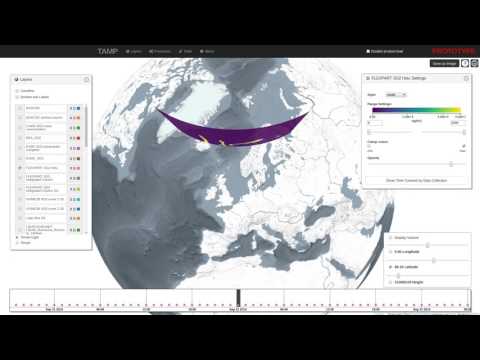](http://www.youtube.com/watch?v=E6kFLtKgeJ8)
|
|
|
|
* [Contour generation using d3-contour](https://bl.ocks.org/mbostock/83c0be21dba7602ee14982b020b12f51)
|
|
|
|
[](https://bl.ocks.org/mbostock/83c0be21dba7602ee14982b020b12f51)
|
|
|
|
## Setup
|
|
|
|
To setup the repository do the following steps:
|
|
|
|
```bash
|
|
# clone repo
|
|
git clone https://github.com/constantinius/geotiff.js.git
|
|
cd geotiff.js/
|
|
|
|
# install development dependencies
|
|
npm install
|
|
```
|
|
|
|
## Testing and Building
|
|
|
|
In order to run the tests you first have to set up the test data. This requires
|
|
the [GDAL](http://gdal.org/) and [ImageMagick](http://imagemagick.org/) tools.
|
|
Installation of these tools varies according to the operating system, the
|
|
following listing shows the installation on Ubuntu (using the ubuntugis-unstable
|
|
repository):
|
|
```bash
|
|
sudo add-apt-repository -y ppa:ubuntugis/ubuntugis-unstable
|
|
sudo apt-get update
|
|
sudo apt-get install -y gdal-bin imagemagick
|
|
```
|
|
To install GDAL and ImageMagick on MacOS X, please use [Homebrew](https://brew.sh/). The setup script also needs `wget` on MacOS X
|
|
```bash
|
|
brew install wget gdal imagemagick
|
|
```
|
|
|
|
When GDAL and ImageMagick is installed, the test data setup script can be run:
|
|
```bash
|
|
cd test/data
|
|
sh setup_data.sh
|
|
cd -
|
|
```
|
|
|
|
To test the library (using PhantomJS, karma, mocha and chai) do the following:
|
|
|
|
```bash
|
|
npm test
|
|
```
|
|
|
|
To do some in-browser testing do:
|
|
|
|
```bash
|
|
npm run dev
|
|
```
|
|
|
|
and navigate to `http://localhost:8090/test/`
|
|
|
|
To build the library do:
|
|
|
|
```bash
|
|
npm run build
|
|
```
|
|
|
|
The output is written to `dist-browser/main.js` and `dist-node/main.js`.
|
|
|
|
## Install
|
|
|
|
You can install geotiff.js using npm:
|
|
```
|
|
npm install geotiff
|
|
```
|
|
|
|
or you can use the prebuilt version with a CDN:
|
|
|
|
```html
|
|
<script src="https://cdn.jsdelivr.net/npm/geotiff"></script>
|
|
```
|
|
Note: Currently the CDN installation is not compatible with GeoTIFF workers pool `GeoTIFF.Pool`.
|
|
|
|
|
|
## Usage
|
|
|
|
geotiff.js works with both `require`, `import` and the global variable `GeoTIFF`:
|
|
|
|
```javascript
|
|
const GeoTIFF = require('geotiff');
|
|
const { fromUrl, fromUrls, fromArrayBuffer, fromBlob } = GeoTIFF;
|
|
|
|
// or
|
|
import GeoTIFF, { fromUrl, fromUrls, fromArrayBuffer, fromBlob } from 'geotiff';
|
|
```
|
|
|
|
or:
|
|
|
|
```html
|
|
<script async src="https://cdn.jsdelivr.net/npm/geotiff"></script>
|
|
<script>
|
|
console.log(GeoTIFF);
|
|
// Note: GeoTIFF.Pool will not work
|
|
</script>
|
|
```
|
|
|
|
To parse a GeoTIFF, first a data source is required. To help with the development,
|
|
there are shortcuts available. The following creates a source that reads from a
|
|
remote GeoTIFF referenced by a URL:
|
|
|
|
```javascript
|
|
fromUrl(someUrl)
|
|
.then(tiff => { /* ... */});
|
|
|
|
// or when using async/await
|
|
(async function() {
|
|
const tiff = await fromUrl(someUrl);
|
|
// ...
|
|
})()
|
|
```
|
|
|
|
Note: the interactions with geotiff.js objects are oftentimes asynchronous. For
|
|
the sake of brevity we will only show the async/await syntax and not the
|
|
`Promise` based one in the following examples.
|
|
|
|
Accessing remote images is just one way to open TIFF images with geotiff.js. Other
|
|
options are reading from a local `ArrayBuffer`:
|
|
|
|
```javascript
|
|
// using local ArrayBuffer
|
|
const response = await fetch(someUrl);
|
|
const arrayBuffer = await response.arrayBuffer();
|
|
const tiff = await fromArrayBuffer(arrayBuffer);
|
|
```
|
|
|
|
or a `Blob`/`File`:
|
|
|
|
```html
|
|
<input type="file" id="file">
|
|
<script>
|
|
const input = document.getElementById('file'):
|
|
input.onchange = async function() {
|
|
const tiff = await fromBlob(input.files[0]);
|
|
}
|
|
</script>
|
|
```
|
|
|
|
Now that we have opened the TIFF file, we can inspect it. The TIFF is structured
|
|
in a small header and a list of one or more images (Image File Directory, IFD to
|
|
use the TIFF nomenclature). To get one image by index the `getImage()` function
|
|
must be used. This is again an asynchronous operation, as the IFDs are loaded
|
|
lazily:
|
|
|
|
```javascript
|
|
const image = await tiff.getImage(); // by default, the first image is read.
|
|
```
|
|
|
|
Now that we have obtained a `GeoTIFFImage` object we can inspect its metadata
|
|
(like size, tiling, number of samples, geographical information, etc.). All
|
|
the metadata is parsed once the IFD is first parsed, thus the access to that
|
|
is synchronous:
|
|
|
|
```javascript
|
|
const width = image.getWidth();
|
|
const height = image.getHeight();
|
|
const tileWidth = image.getTileWidth();
|
|
const tileHeight = image.getTileHeight();
|
|
const samplesPerPixel = image.getSamplesPerPixel();
|
|
|
|
// when we are actually dealing with geo-data the following methods return
|
|
// meaningful results:
|
|
const origin = image.getOrigin();
|
|
const resolution = image.getResolution();
|
|
const bbox = image.getBoundingBox();
|
|
```
|
|
|
|
The actual raster data is not fetched and parsed automatically. This is because
|
|
it is usually much more spacious and the decoding of the pixels can be time
|
|
consuming due to the necessity of decompression.
|
|
|
|
To read a whole image into one big array of arrays the following method call can be used:
|
|
|
|
```javascript
|
|
const data = await image.readRasters();
|
|
```
|
|
|
|
For convenience the result always has a `width` and `height` attribute:
|
|
|
|
```javascript
|
|
const data = await image.readRasters();
|
|
const { width, height } = data;
|
|
```
|
|
|
|
By default, the raster is split to a separate array for each component. For an RGB image
|
|
for example, we'd get three arrays, one for red, green and blue.
|
|
|
|
```javascript
|
|
const [red, green, blue] = await image.readRasters();
|
|
```
|
|
|
|
If we want instead all the bands interleaved in one big array, we have to pass the
|
|
`interleave: true` option:
|
|
|
|
```javascript
|
|
const [r0, g0, b0, r1, g1, b1, ...] = await image.readRasters({ interleave: true });
|
|
```
|
|
|
|
If we are only interested in a specific region of the image, the `window` option can be
|
|
used to limit reading in that bounding box. Note: the bounding box is in 'image coordinates'
|
|
not geographical ones:
|
|
|
|
```javascript
|
|
const left = 50;
|
|
const top = 10;
|
|
const right = 150;
|
|
const bottom = 60;
|
|
|
|
const data = await image.readRasters({ window: [left, top, right, bottom] });
|
|
```
|
|
|
|
This image window can go beyond the image bounds. In that case it might be usefull to supply
|
|
a `fillValue: value` option (can also be an array, one value for each sample).
|
|
|
|
It is also possible to just read specific samples for each pixel. For example, we can only
|
|
read the red component from an RGB image:
|
|
|
|
```javascript
|
|
const [red] = await image.readRasters({ samples: [0] });
|
|
```
|
|
|
|
When you want your output in a specific size, you can use the `width` and `height` options.
|
|
This defaults of course to the size of your supplied `window` or the image size if no
|
|
`window` was supplied.
|
|
|
|
As the data now needs to be resampled, a `resampleMethod` can be specified. This defaults to
|
|
the nearest neighbour method, but also the `'bilinear'` method is supported:
|
|
|
|
```javascript
|
|
const data = await image.readRasters({ width: 40, height: 40, resampleMethod: 'bilinear' });
|
|
```
|
|
|
|
### Using decoder pools to improve parsing performance
|
|
|
|
Decoding compressed images can be a time consuming process. To minimize this
|
|
geotiff.js provides the `Pool` mechanism which uses WebWorkers to split the amount
|
|
of work on multiple 'threads'.
|
|
|
|
```javascript
|
|
const pool = new GeoTIFF.Pool();
|
|
const data = await image.readRasters({ pool });
|
|
```
|
|
|
|
It is possible to provide a pool size (i.e: number of workers), by default the number
|
|
of available processors is used.
|
|
|
|
### Dealing with visual data
|
|
|
|
The TIFF specification provides various ways to encode visual data. In the
|
|
specification this is called photometric interpretation. The simplest case we
|
|
already dealt with is the RGB one. Others are grayscale, paletted images, CMYK,
|
|
YCbCr, and CIE L*a*b.
|
|
|
|
geotiff.js provides a method to automatically convert these images to RGB:
|
|
`readRGB()`. This method is very similar to the `readRasters` method with
|
|
distinction that the `interleave` option is now always `true` and the
|
|
`samples` are automatically chosen.
|
|
|
|
```javascript
|
|
const rgb = await image.readRGB({
|
|
// options...
|
|
});
|
|
```
|
|
|
|
### Automatic image selection (experimental)
|
|
|
|
When dealing with images that have internal (or even external, see the next section)
|
|
overviews, `GeoTIFF` objects provide a separate `readRasters` method. This method
|
|
works very similar to the method on the `GeoTIFFImage` objects with the same name.
|
|
By default, it uses the larges image available (highest resolution), but when either
|
|
`width`, `height`, `resX`, or `resY` are specified, then the best fitting image will
|
|
be used for reading.
|
|
|
|
Additionally, it allows the `bbox` instead of the `window` parameter. This works
|
|
similarly, but uses geographic coordinates instead of pixel ones.
|
|
|
|
```javascript
|
|
const data = await tiff.readRasters({
|
|
bbox: [10.34, 57.28, 13.34, 60.23],
|
|
resX: 0.1,
|
|
resY: 0.1
|
|
});
|
|
```
|
|
|
|
### External overviews
|
|
|
|
Especially for certain kinds of high resolution images it is not uncommon to separate
|
|
the highest resolution from the lower resolution overviews (usually using the `.ovr`
|
|
extension). With geotiff.js it is possible to use files of this setup, just as you
|
|
would use single-file images by taking advantage of the `MultiGeoTIFF` objects. They
|
|
behave exactly the same as the before mentioned `GeoTIFF` objects: you can select
|
|
images by index or read data using `readRasters`. Toget such a file use the `fromUrls`
|
|
factory function:
|
|
|
|
```javascript
|
|
const multiTiff = await fromUrls(
|
|
'LC08_L1TP_189027_20170403_20170414_01_T1_B3.TIF',
|
|
['LC08_L1TP_189027_20170403_20170414_01_T1_B3.TIF.ovr']
|
|
);
|
|
```
|
|
|
|
### AbortController Support
|
|
|
|
Geotiff.js supports the use of [`AbortController`s](https://developer.mozilla.org/en-US/docs/Web/API/AbortController). Calls to `getRasters`, `readRGB` and `getTileOrStrip` will throw an `Error` with name `AbortSignal` similar to the browser's `fetch` behavior.
|
|
|
|
```javascript
|
|
const abortController = new AbortController();
|
|
const { signal } = abortController;
|
|
abortController.abort();
|
|
try {
|
|
const data = await tiff.readRasters({ signal });
|
|
} catch(e) {
|
|
if (err.name === 'AbortError') {
|
|
// do stuff
|
|
}
|
|
}
|
|
```
|
|
|
|
### Writing GeoTIFFs (Beta Version)
|
|
|
|
You can create a binary representation of a GeoTIFF using `writeArrayBuffer`.
|
|
This function returns an ArrayBuffer which you can then save as a .tif file.
|
|
:warning: writeArrayBuffer currently writes the values uncompressed
|
|
```javascript
|
|
import GeoTIFF, { writeArrayBuffer } from 'geotiff';
|
|
|
|
const values = [1, 2, 3, 4, 5, 6, 7, 8, 9];
|
|
const metadata = {
|
|
height: 3,
|
|
width: 3
|
|
};
|
|
const arrayBuffer = await writeArrayBuffer(values, metadata);
|
|
```
|
|
|
|
You can also customize the metadata using names found in the [TIFF Spec](https://www.loc.gov/preservation/digital/formats/content/tiff_tags.shtml) and [GeoTIFF spec](https://cdn.earthdata.nasa.gov/conduit/upload/6852/geotiff-1.8.1-1995-10-31.pdf).
|
|
```javascript
|
|
import { writeArrayBuffer } from 'geotiff';
|
|
|
|
const values = [1, 2, 3, 4, 5, 6, 7, 8, 9];
|
|
const metadata = {
|
|
height: 3,
|
|
ModelPixelScale: [0.031355, 0.031355, 0],
|
|
ModelTiepoint: [0, 0, 0, 11.331755000000001, 46.268645, 0],
|
|
width: 3
|
|
};
|
|
const arrayBuffer = await writeArrayBuffer(values, metadata);
|
|
```
|
|
|
|
## What to do with the data?
|
|
|
|
There is a nice HTML 5/WebGL based rendering library called
|
|
[plotty](https://github.com/santilland/plotty), that allows for some really nice
|
|
on the fly rendering of the data contained in a GeoTIFF.
|
|
|
|
```html
|
|
<canvas id="plot"></canvas>
|
|
<script>
|
|
// ...
|
|
|
|
(async function() {
|
|
const tiff = await fromUrl(url);
|
|
const image = await tiff.getImage();
|
|
const data = await image.readRasters();
|
|
|
|
const canvas = document.getElementById("plot");
|
|
const plot = new plotty.plot({
|
|
canvas,
|
|
data: data[0],
|
|
width: image.getWidth(),
|
|
height: image.getHeight(),
|
|
domain: [0, 256],
|
|
colorScale: "viridis"
|
|
});
|
|
plot.render();
|
|
})();
|
|
</script>
|
|
```
|
|
|
|
There's also a library called [geotiff-geokeys-to-proj4](https://github.com/matafokka/geotiff-geokeys-to-proj4), that allows for reprojecting pixel coordinates and, therefore, consuming geospatial data contained in GeoTIFF.
|
|
|
|
## BigTIFF support
|
|
|
|
geotiff.js has a limited support for files in the BigTIFF format. The limitations
|
|
originate in the capabilities of current JavaScript implementations regarding
|
|
64 bit integer parsers and structures: there are no functions to read 64 bit
|
|
integers from a stream and no such typed arrays. As BigTIFF relies on 64 bit
|
|
offsets and also allows tag values of those types. In order to still provide
|
|
a reasonable support, the following is implemented:
|
|
|
|
* 64 bit integers are read as two 32 bit integers and then combined. As
|
|
numbers in JavaScript are typically implemented as 64 bit floats, there
|
|
might be inaccuracies for *very* large values.
|
|
* For 64 bit integer arrays, the default `Array` type is used. This might
|
|
cause problems for some compression algorithms if those arrays are used for
|
|
pixel values.
|
|
|
|
## n-bit Support
|
|
|
|
geotiff.js has some n-bit support which means that it supports unsigned integer
|
|
data reading with each element using a non-multiple of 8 bit depth. This only
|
|
works with band interleaved images (see
|
|
[this related issue](https://github.com/geotiffjs/geotiff.js/issues/202)).
|
|
|
|
## Planned stuff:
|
|
|
|
* Better support of geospatial parameters:
|
|
* WKT representation
|
|
|
|
## Known Issues
|
|
|
|
The open issues can be found on [GitHub](https://github.com/geotiffjs/geotiff.js/issues).
|
|
|
|
## Contribution
|
|
|
|
If you have an idea, found a bug or have a remark, please open a ticket, we will
|
|
look into it ASAP.
|
|
|
|
Pull requests are welcome as well!
|
|
|
|
## Community Packages
|
|
|
|
A list of community packages can be found in [COMMUNITY.md](COMMUNITY.md)
|
|
|
|
## Acknowledgements
|
|
|
|
This library was inspired by
|
|
[GeotiffParser](https://github.com/xlhomme/GeotiffParser.js). It provided a
|
|
great starting point, but lacked the capabilities to read the raw raster data
|
|
which is the aim of geotiff.js.
|